Dynamics 365 Business Central 2026 Wave 1 (BC Version 28): Filter receipt and shipment lines to quickly find documents you want to invoice.
Hi Folks,
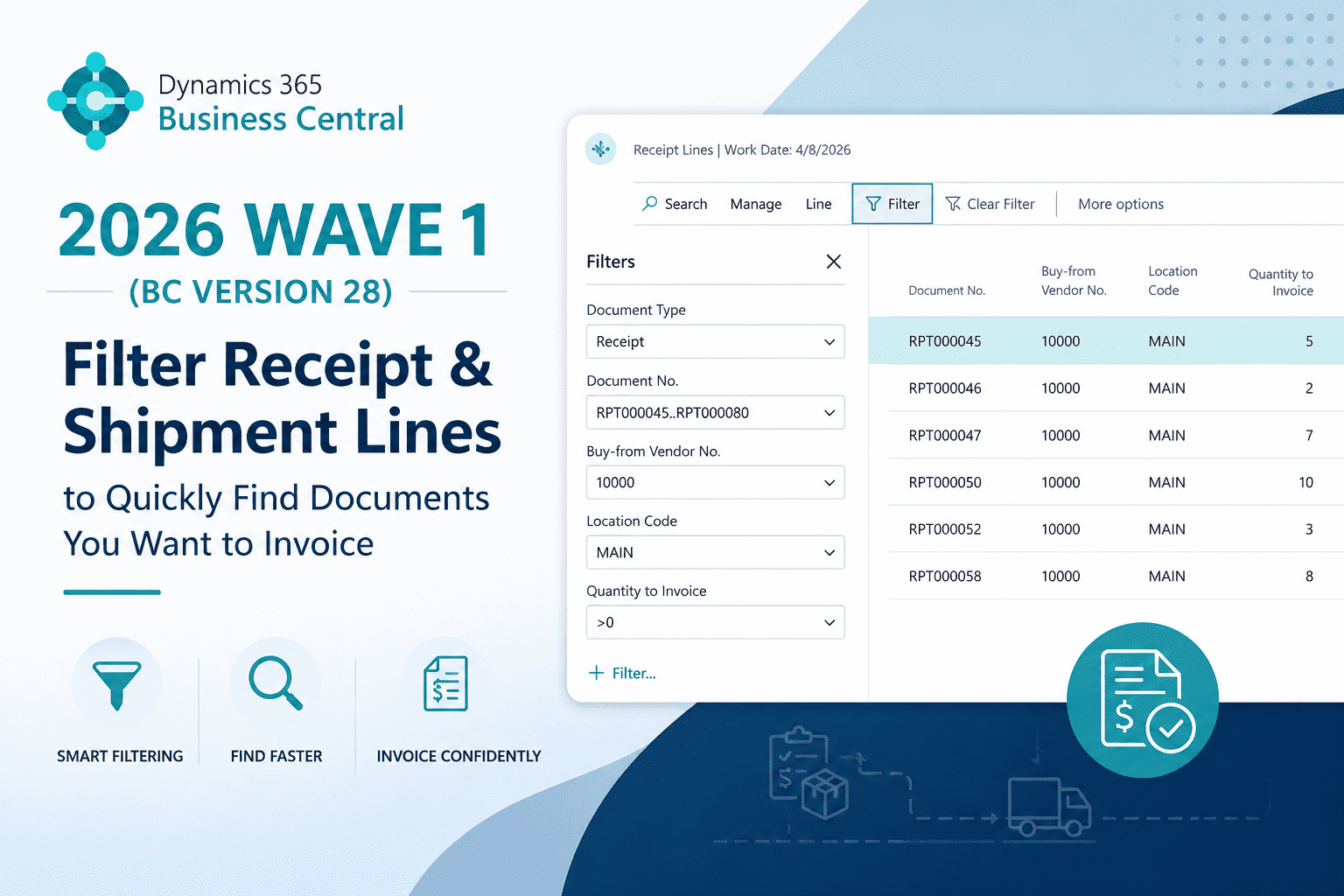
With Dynamics 365 Business Central 2026 Wave 1 (Version 28), Microsoft introduces new filter on Get Receipt Lines, Get Shipment Lines and Get Service Shipment Lines.
As we all know from NAV, when we create the multiple Purchase Receipt for the same vendor and currency and wanted to create a single Purchase Invoice. Create a Purchase Invoice and on lines -> Function -> Get Receipt Lines. Similarly combining multiple shipment on Sales Invoice -> Function -> Get Shipment Lines.
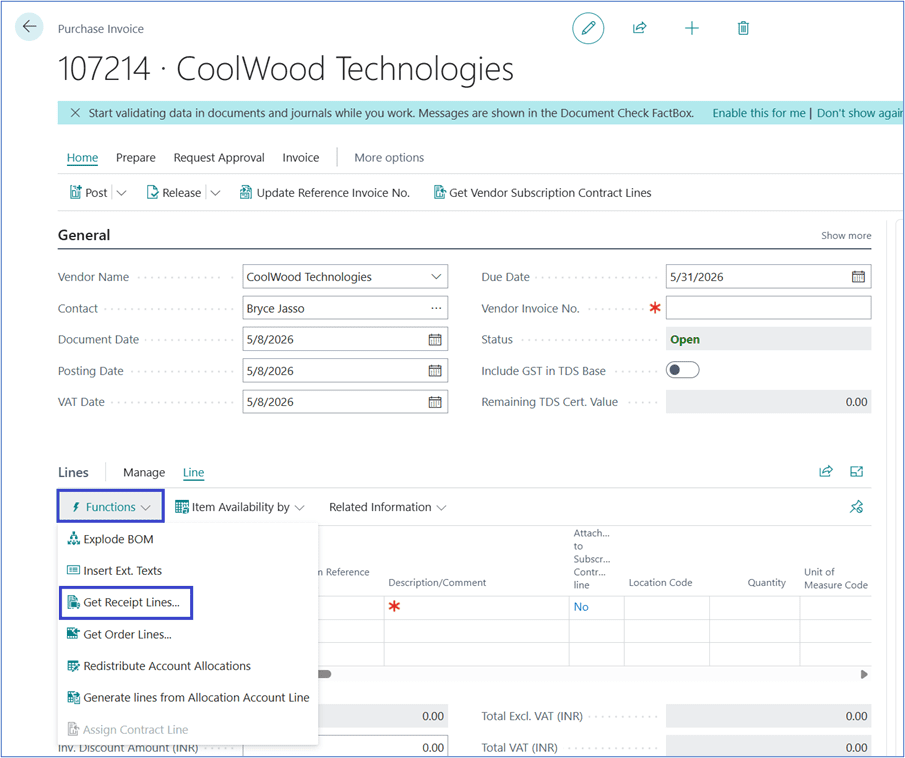
In Business Central Version 28, Microsoft introduces new filter on Get Receipt Lines, Get Shipment Lines and Get Service Shipment Lines. The filter assists to narrow down the list by filtering on new fields.
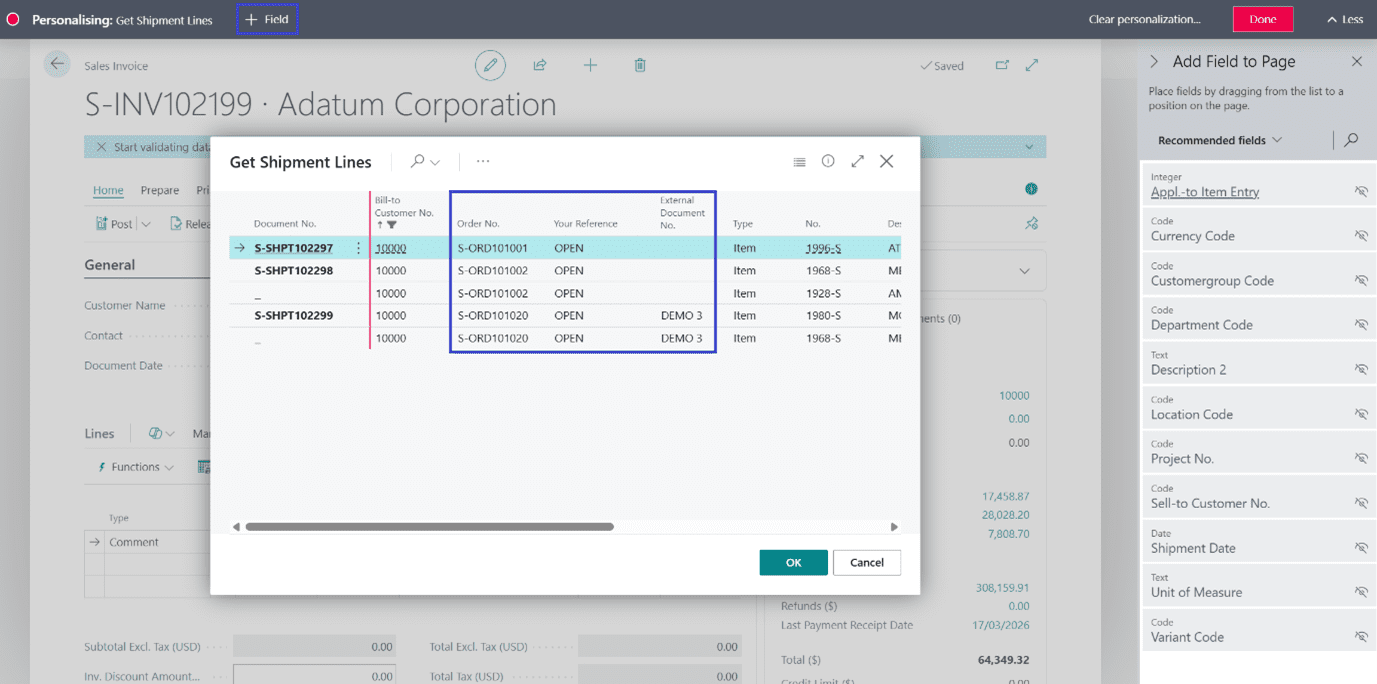
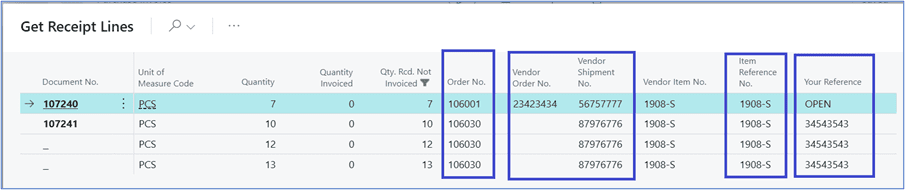
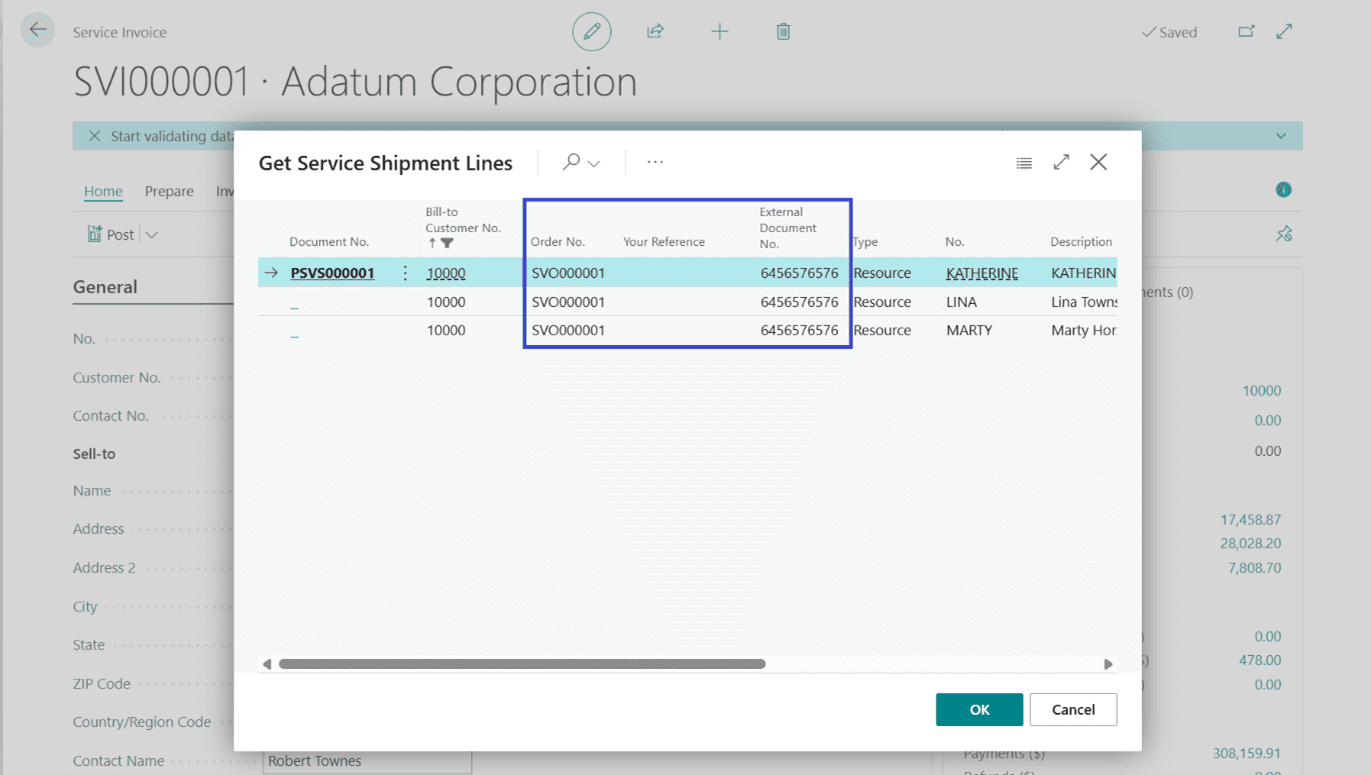
Let’s explore more in detail. Below fields are available as mentioned on respective pages.
All Document:
- Order No.
- Your Reference
Sales and Service Shipment only:
- External Document No.
Purchase Receipts only:
- Vendor Order No.
- Vendor Shipment No.
- Item Reference No.
Sales Invoice: Go to Sales Invoice -> Lines -> Get Shipment Lines. Below fields can be added through personalization.
Purchase Invoice: Go to Purchase Invoice -> Lines -> Get Receipt Lines.
Service Invoice: Go to Service Invoice -> Lines -> Get Shipment Lines.
Thanks!!
Please follow and subscribe. Share your thoughts in the comments.!!