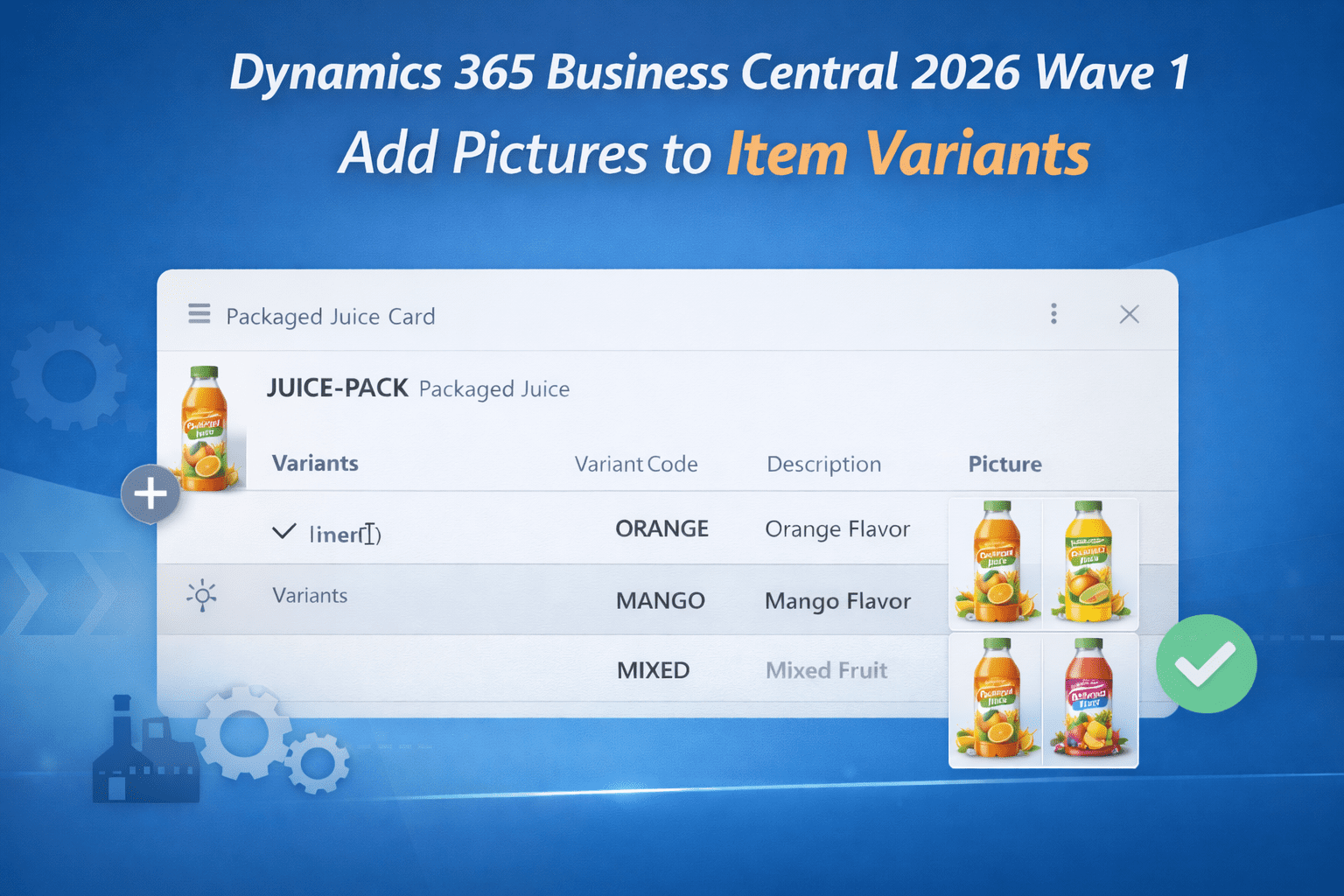
Dynamics 365 Business Central 2026 Wave 1 (BC Version 28): Add pictures to item variant to differentiate from main product.
Hi Folks,
With Dynamics 365 Business Central 2026 Wave 1 (BC Version 28) Microsoft added a capability of adding an image to each item variant such as color or size to identify the difference between the variants.
Let’s see how it works.
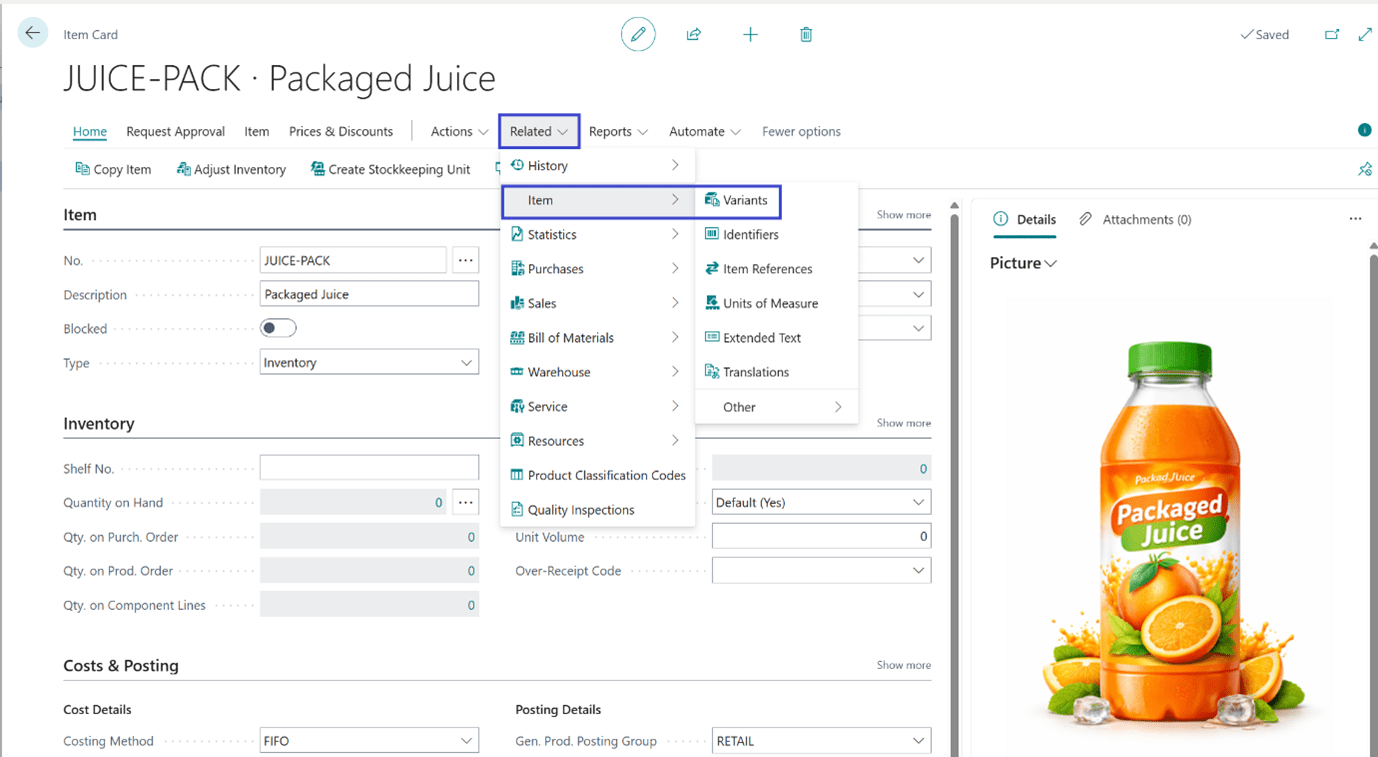
On Tell me search (Shortcut ALT+Q), search for Item and go to Item Card. On the Item Card click on Variants action.
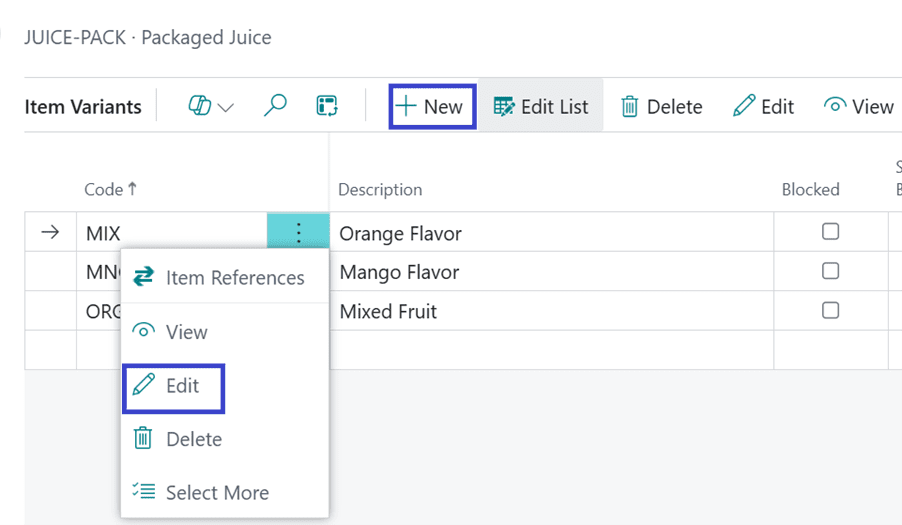
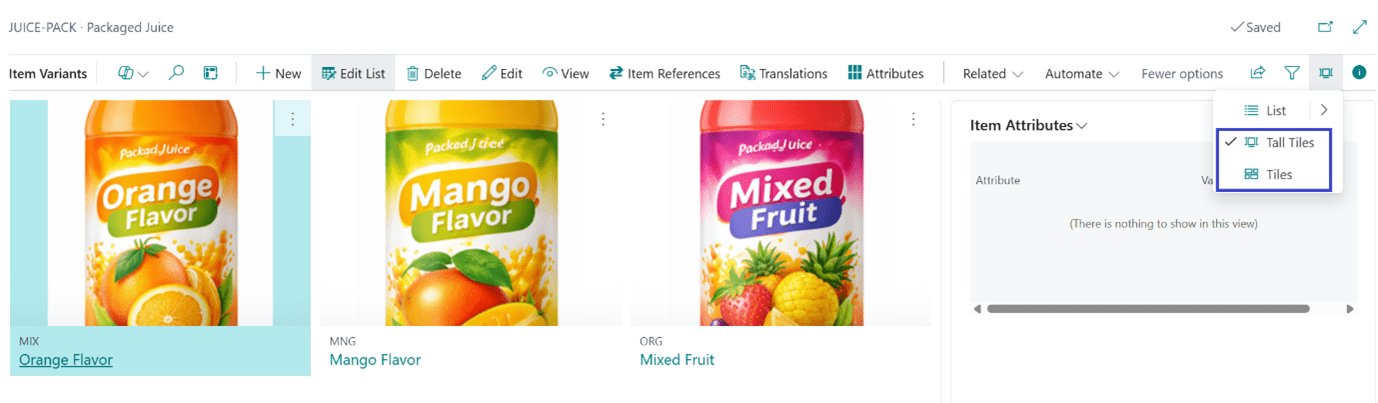
On the Variant list, click on New to create a new Variant OR Edit to update the existing Item Variant.
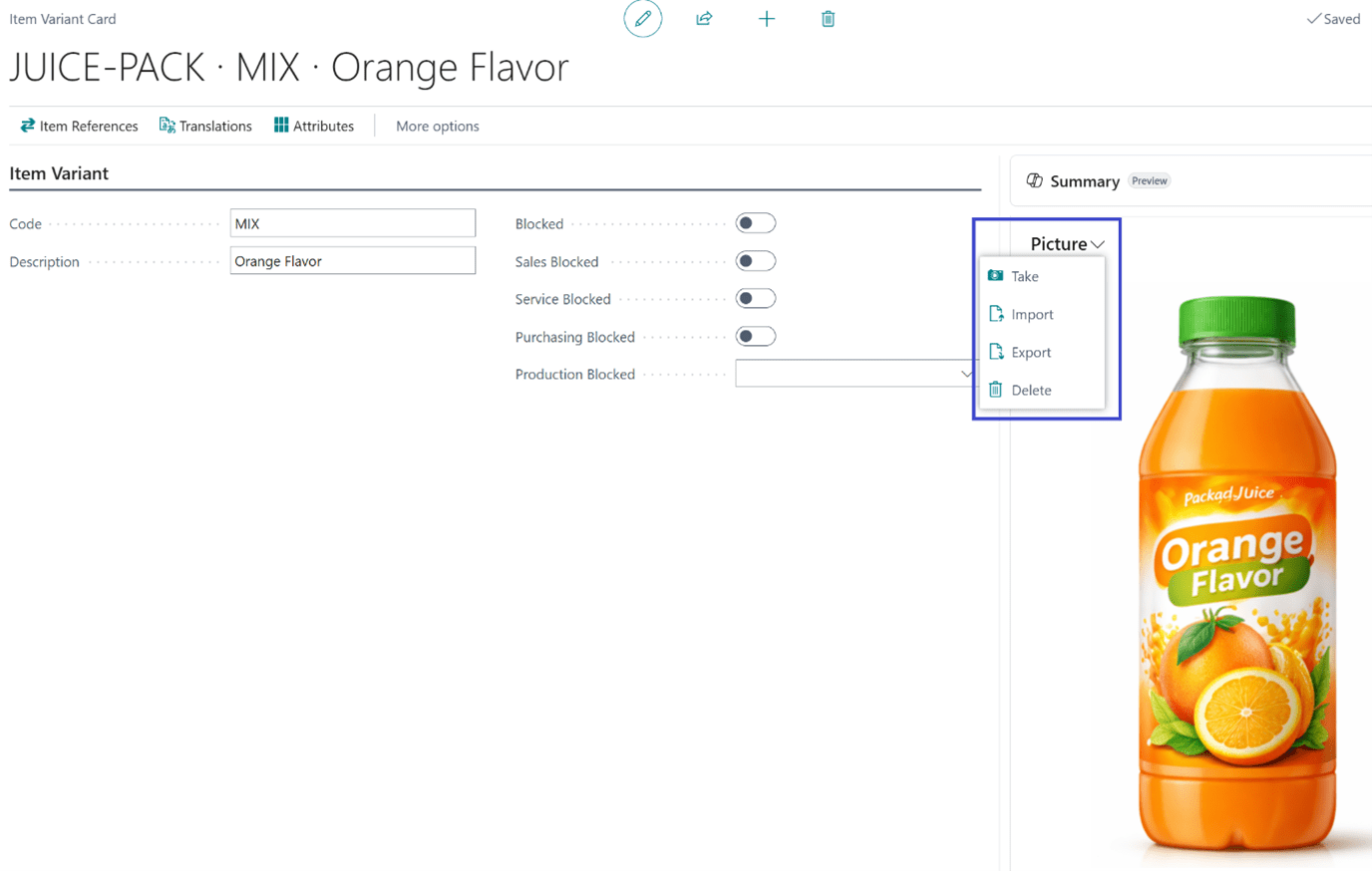
On the Item Variant card in the Picture FactBox, choose any on the following actions:
- Import to upload an image.
- Take to use your device camera to capture an image.
- Delete if you do not need the image.
- Export to save the current image.
You can all choose the view to Tall Tiles or Tiles to see the images of all variants on the Item Variants List page.
Thanks!!
Please follow and subscribe. Share your thoughts in the comments.!!