The implementation of Microsoft Dynamics 365 Business Central involves transforming the way you do business, not only upgrading technology. You may be moving away from an existing legacy system, or you may be upgrading from Microsoft Dynamics NAV; however, no matter which scenario applies, achieving success will depend upon having a well-defined plan, an appropriate strategy, and working with established Business Central implementation companies or a trusted implementation partner.
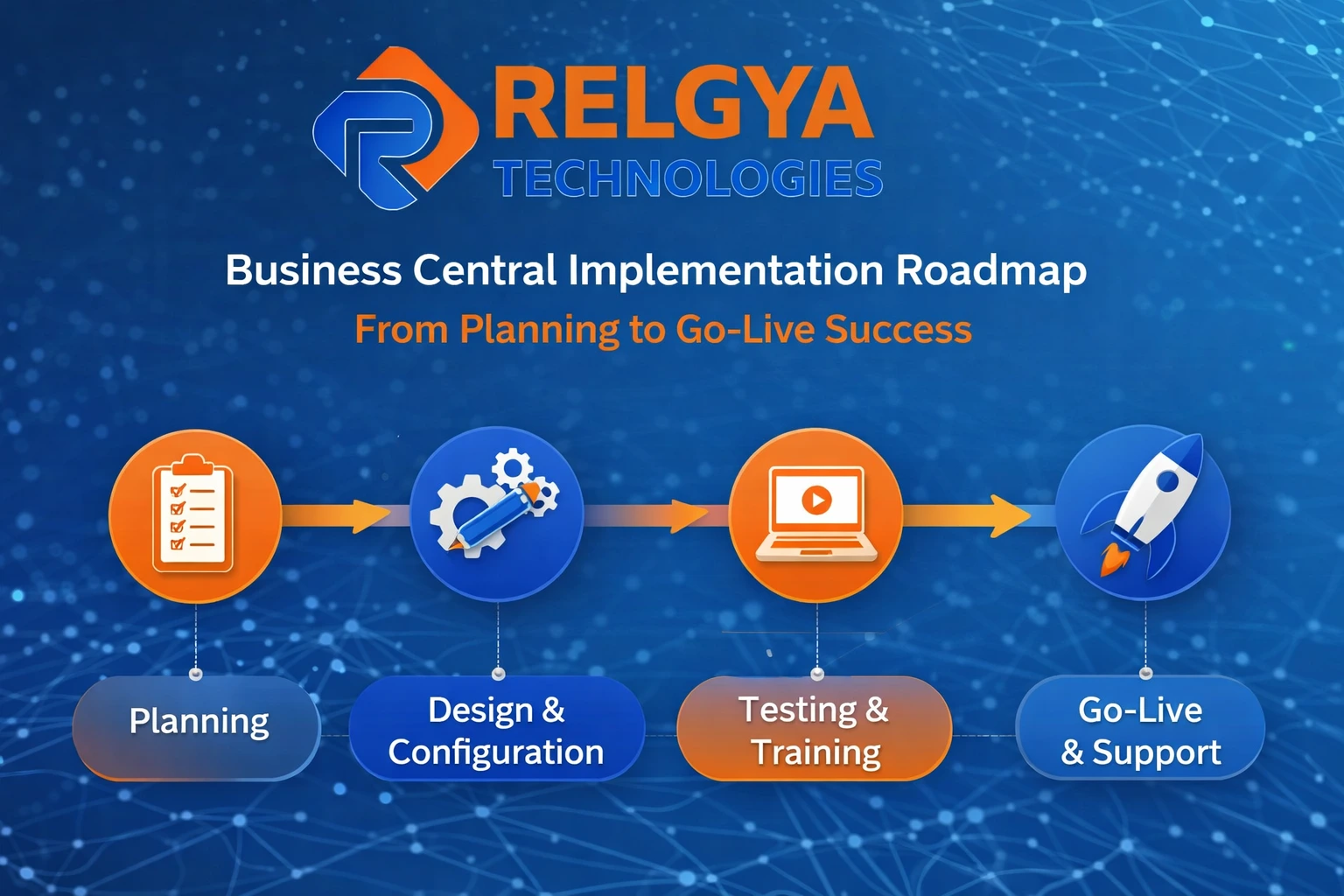
The complete roadmap – from initial planning and development through to Go-Live – in this guide will assist you in avoiding costly mistakes to ensure the successful transition of your business to using Microsoft Dynamics 365 Business Central.
Understanding the Importance of a Structured Implementation
A Business Central implementation involves a number of stages and has an effect on finance, operations, supply chain, and reporting. When companies don’t have a structured roadmap to implement their Business Central, they may experience delays in the implementation process, exceed their budget, and encounter difficulty getting their employees to adopt it once it has been implemented.
An experienced Business Central implementation company can support you in aligning your technology to meet your business objectives. Working with a qualified Business Central implementation partner will guarantee that each step of the implementation process is executed precisely, from gathering requirements through to deploying the solution.
Phase 1: Planning and Requirement Analysis
The successful implementation of any project begins with a great deal of planning. During the planning phase, it is established what the goals of the implementation are and what kind of functionality will be expected from the system, as well as how it will benefit the company’s business objectives.
During this planning phase, your Business Central implementor will evaluate your current processes, identify any gaps in your current operation, and develop your requirements. If you are planning to upgrade from Navision to Business Central, this is also the time to assess the data structure, customizations, and integrations of your system.
Clear documentation throughout the planning phase will prevent confusion later on, as everyone involved in the implementation is on the same page from the start.
Phase 2: Choosing the Right Implementation Partner
Choosing a proper partner is among the most vital decisions you will make during your ERP adventure. Many Business Central companies may not have the same skill set in this industry.
A quality Business Central partner can provide you with a wealth of experience, an understanding of various types of successful implementation methods and great technical ability. They know how to execute a complicated migration, such as ‘Navision’ to ‘Business Central’, without causing too much disruption.
A reputable partner will not ONLY implement software. They will provide you with support for the entire digital transformation process.
Phase 3: Solution Design and System Configuration
After finalising the requirements, you begin by developing the System’s designs. This includes configuring all the modules, defining workflows, and creating user roles and permissions.
This phase in the Implementation of Business Central from Navision includes the redesigning of legacy processes from your current Navision System and optimising them for a modern cloud-based environment. The Business Central implementation partner will ensure that the implementation of Business Central will be custom-built around your business operations and will not force you to adjust your operations to fit the software at your business.
Phase 4: Data Migration and Integration
The ERP system’s foundation consists of data; therefore, migrating it accurately is critical for your business to continue operating.
Companies that are transitioning from Microsoft Dynamics NAV through data migration must clean, validate, and convert their existing (legacy) data into the new system. A badly handled Navision to Business Central upgrade could result in lost or inconsistent data.
In addition, integrations with other vendors’ solutions, such as CRM, e-commerce and reporting applications, will be performed at this time to guarantee optimal functioning together.
Phase 5: Testing and User Training
Before becoming operational, the system must be able to provide appropriate services to all customers. This will include calibration of services to be delivered correctly, as well as evaluation of all support resources. Equally as important is ensuring that users receive necessary training in using the system; otherwise, regardless of how good the service is, users will not be able to perform their job effectively. A good Business Central Implementation company will provide users of the system with some type of hands-on experience with how to use the system and provide necessary clarity as they learn the Workflows, Dashboards, and Reporting Tools. Teams that are well-trained will have better opportunities to adopt the system and reduce post-implementation problems.
Phase 6: Go-Live and Deployment
In the go-live phase, all components are integrated. Following the completion of any final checks, the solution is rolled out to the entire organization.
The right choice of a Business Central implementation partner will ensure that you have a seamless transition with little interruption to your overall operations. They will actively manage your new solution’s performance; troubleshoot/resolve issues as they occur, and assist your in-house resources during the initial implementation.
The go-live phase is extremely important for two reasons: a successful implementation directly affects your company’s ability to operate without interruptions and will inspire confidence in users of the new system.
Phase 7: Post Go-Live Support and Optimization
Post Go-Live support/optimization is crucial for continued success.
Upon Going Live, your Business Central Partner will assist in performance monitoring, troubleshooting, and providing solutions. This is particularly necessary for customers transitioning from Navision to Business Central, as ongoing adjustments may be necessary.
In addition, customers will eventually be able to leverage advanced technologies such as automated processes, analytics, and integration improvements to help maximize their ROI.
Common Challenges and How to Avoid Them
Businesses encounter challenges when implementing ERP systems, but you can avoid some of these by taking the correct steps. Common reasons for problems include a lack of planning, a lack of involvement from all stakeholders, and selecting a Business Central implementation company that does not have experience in this area. Additionally, underestimating the amount of work it takes to upgrade a Navision ERP to a Business Central ERP can create unanticipated problems.
Working with an experienced Business Central implementation partner will help you to identify and manage any risks before they become issues.
Final Thoughts
Implementing a successful Business Central solution is not only about putting in place the new technology; it also requires you to redefine your business processes. A well-defined roadmap, an effective plan for transition and an expert implementation partner can help you ensure that your go-live experience will be seamless and successful.
If you are either moving to Business Central for the first time or upgrading from Navision to Business Central, ensuring that your project is approached in a structured manner will help you optimize the performance of your system, reduce your implementation risk and encourage you to take full advantage of your ERP solutions.