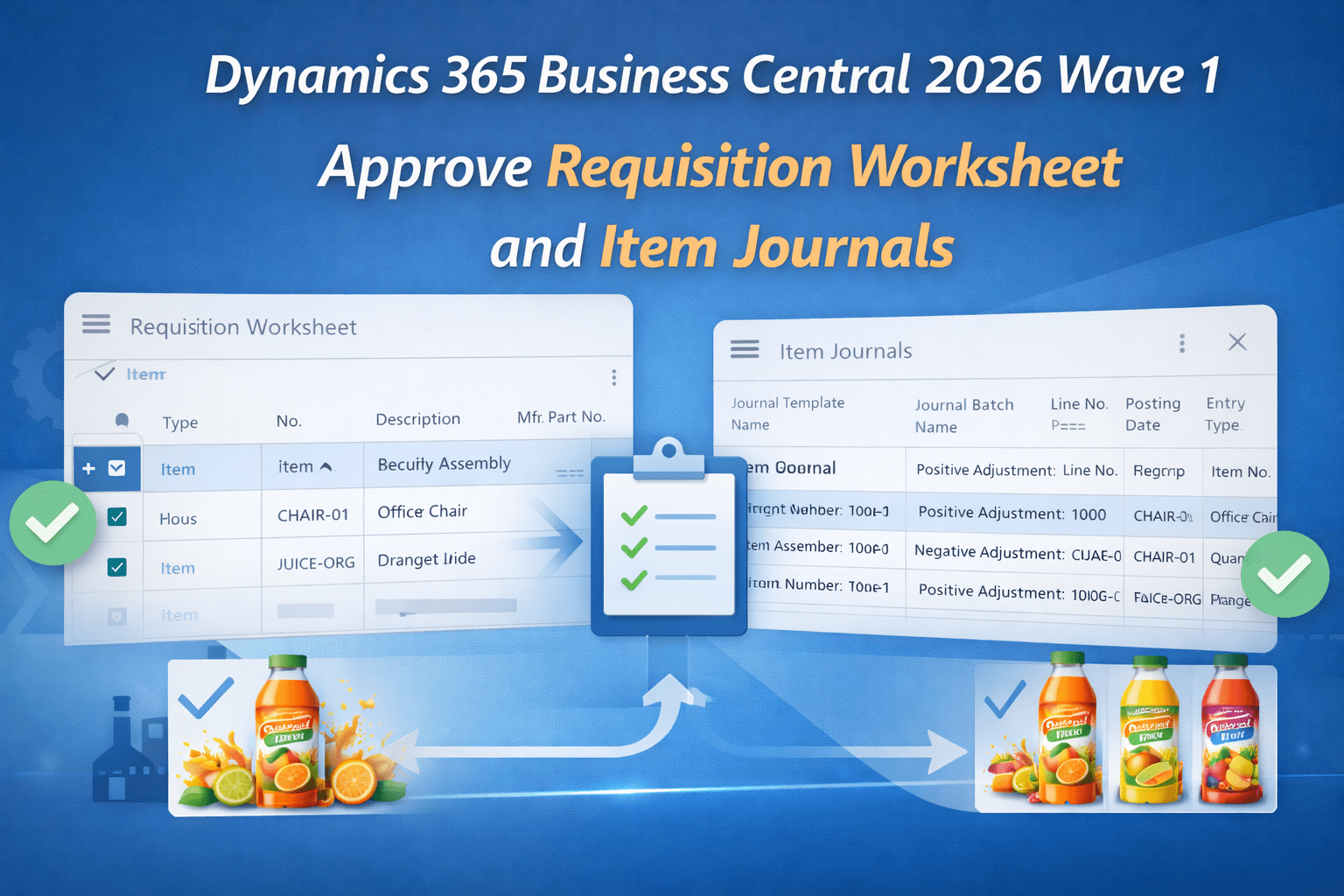
Dynamics 365 Business Central 2026 Wave 1 (BC Version 28): Approve Requisition Worksheet and Item Journals.
Hi Folks,
With Dynamics 365 Business Central 2026 Wave 1 (BC Version 28) Microsoft added a new feature of approval on requisition worksheet and item journal. This feature helps to control incorrect or accidental inventory posting. It works like the approval process we have in general journal batch.
The Approval workflows are now available for below journal. The blog describes how it works for Item journal. It works similar for other journals and Requisition Worksheet.
- Item Journal
- Physical Inventory Journal
- Output Journal
- Consumption Journal
Let’s see how it works.
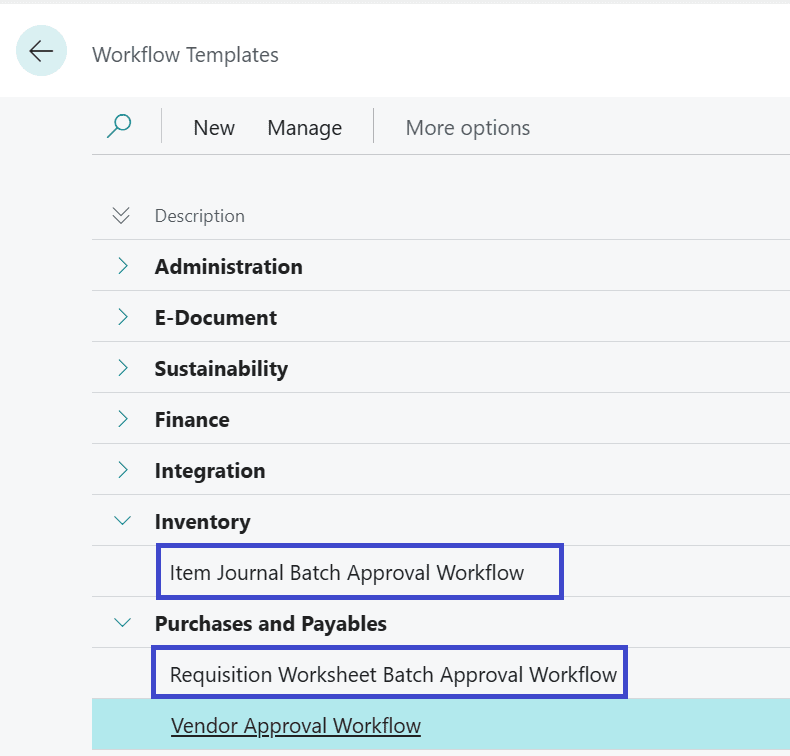
On Tell me search (Shortcut ALT+Q), search for Workflow Templates.
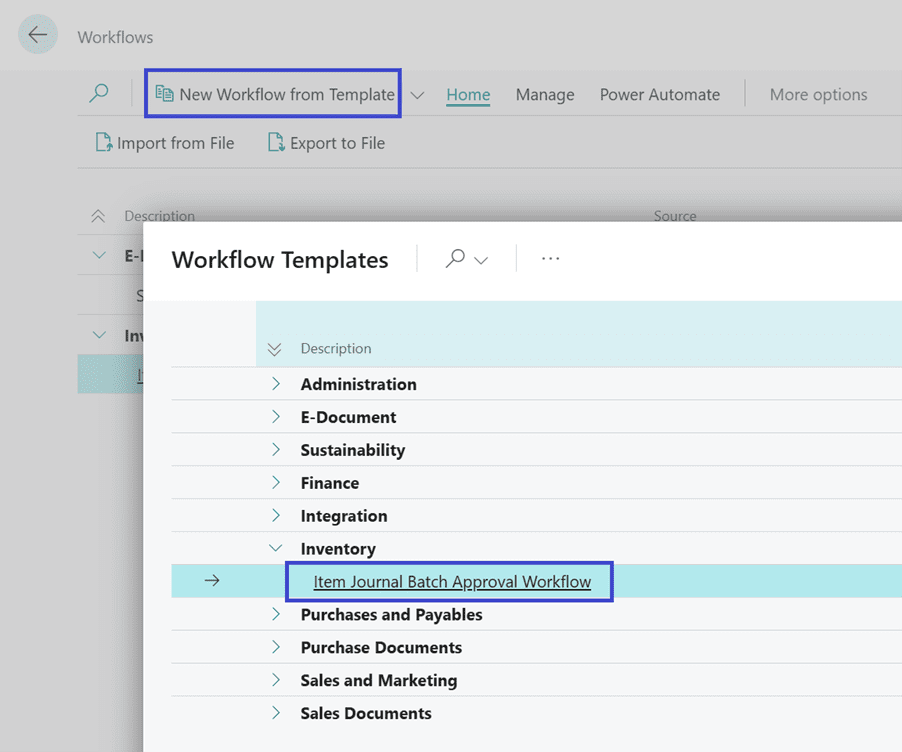
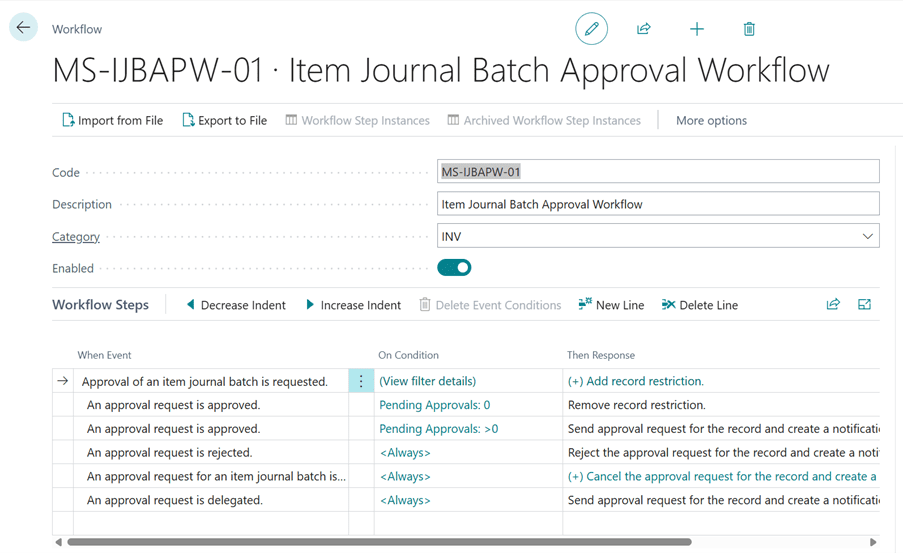
Go to Workflows and create a new workflow from the Template.
Enable the Workflow template.
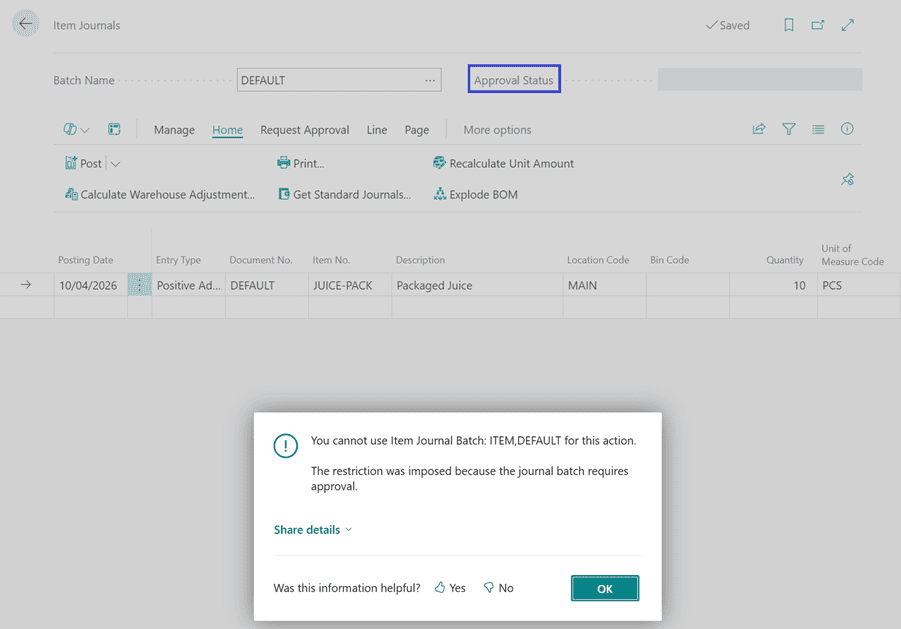
Now when you try to post the item journal error message pops up: “The restriction was imposed because the journal batch requires approval.”
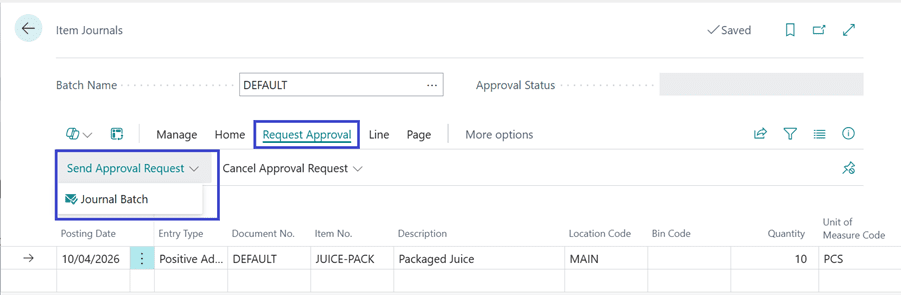
Send the Approval Request
Approval requests send
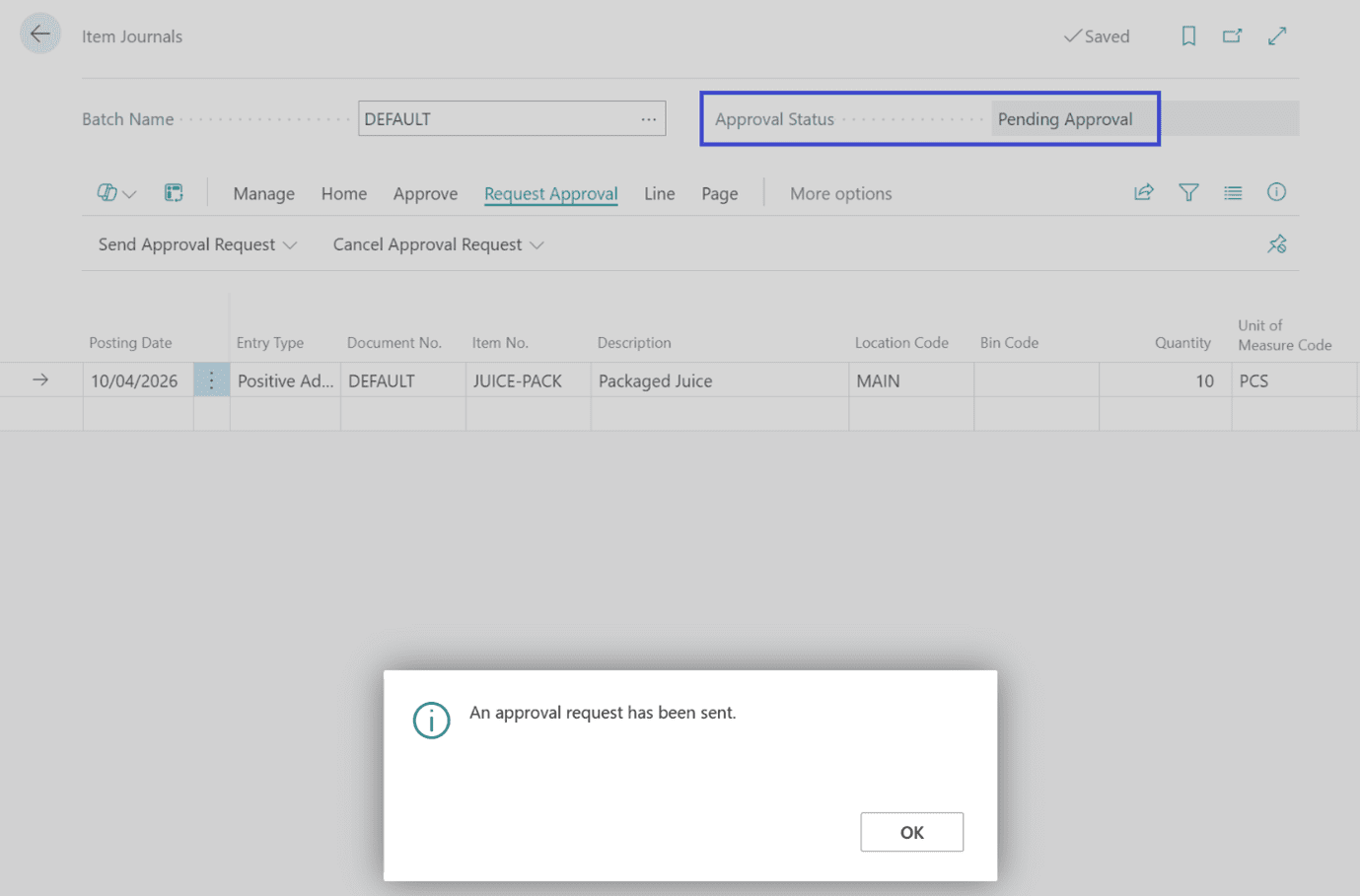
You can Cancel the send approval request by clicking on action “Cancel Approval Request”.

Approval Entry created can be viewed in Request to Approve page.
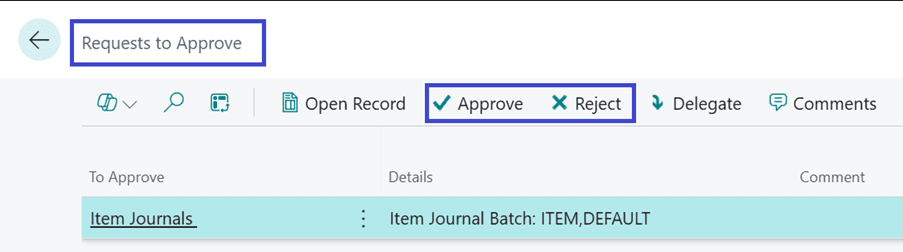
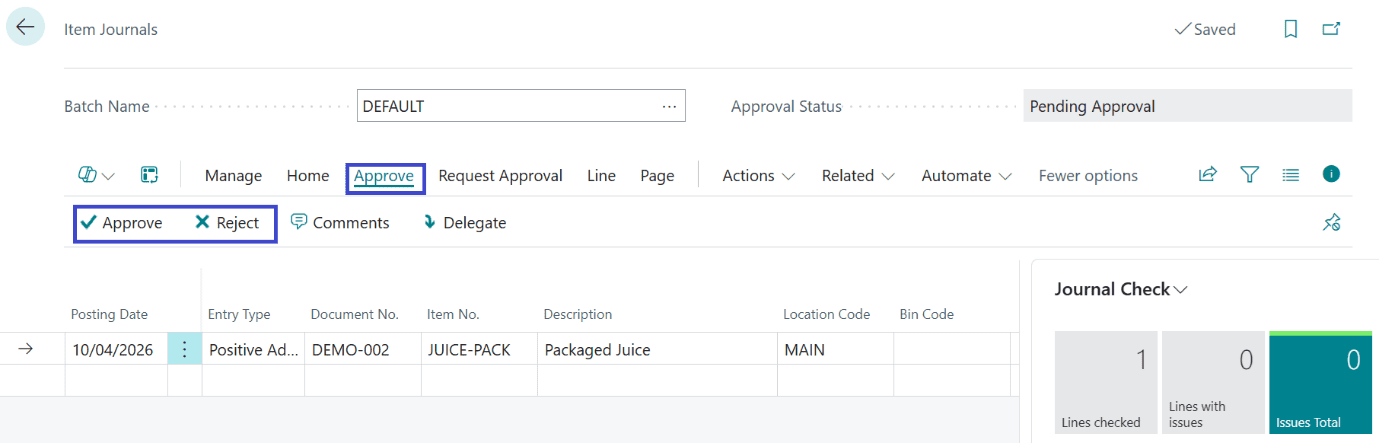
Alternatively, Approver will see the action enabled on Item Journal, if any approval is pending.
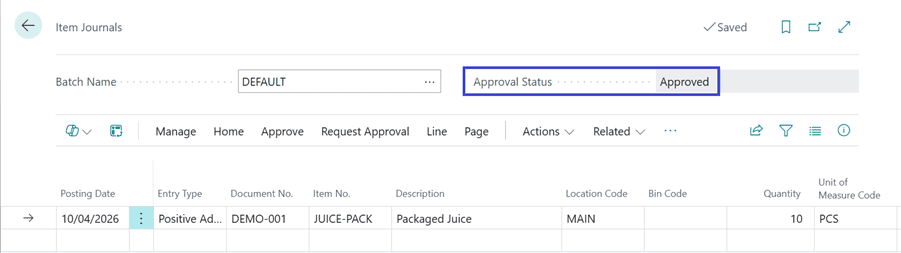
Once the Approval Entry is approved the status is changed to Approved.
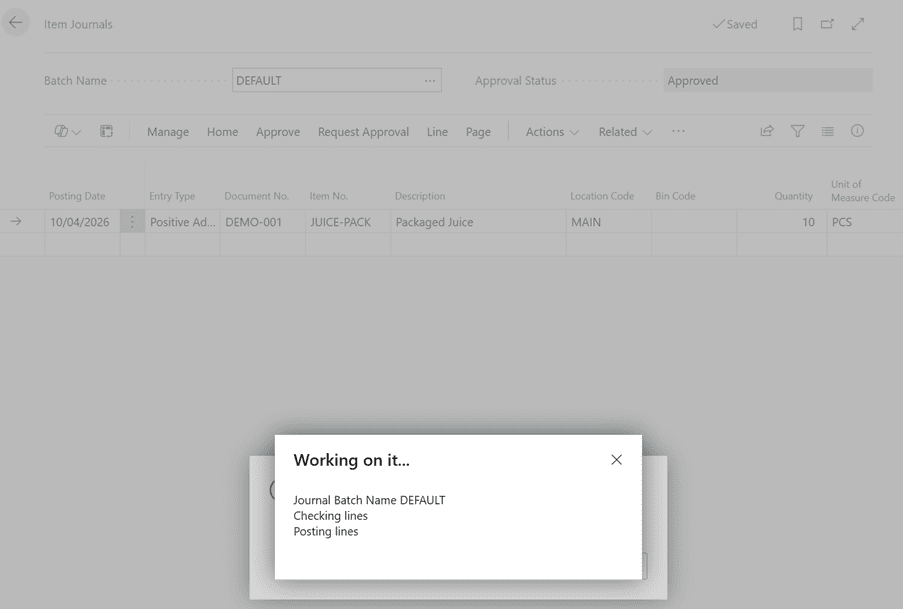
Now the Item Journal can be posted successfully.
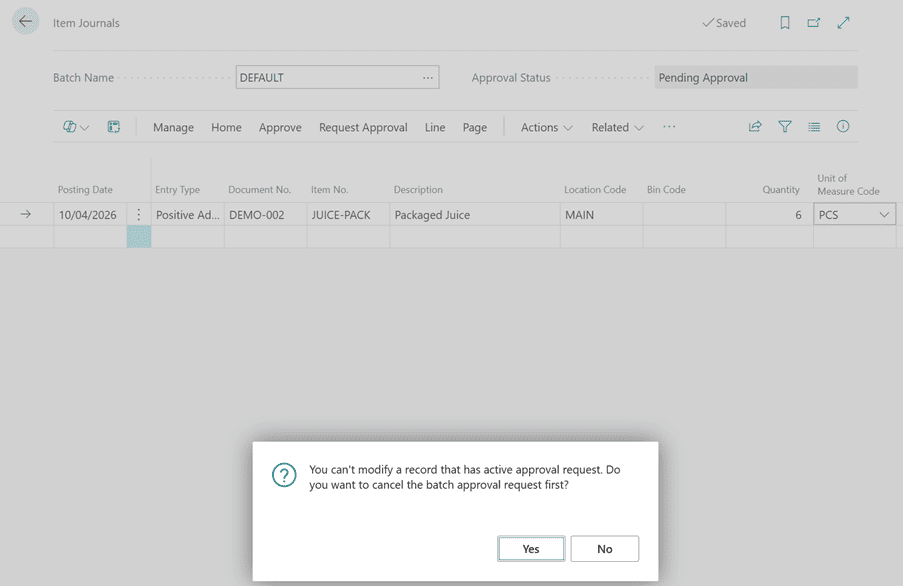
Note: You cannot edit, delete and post the Item journal entry during the time approval is in progress. The restrictions remain until the approval request is approved or cancelled.
Thanks!!
Please follow and subscribe. Share your thoughts in the comments.!!