Dynamics 365 Business Central 2026 Wave 1 (BC Version 28): Self-Billing Invoices.
Hi Folks,
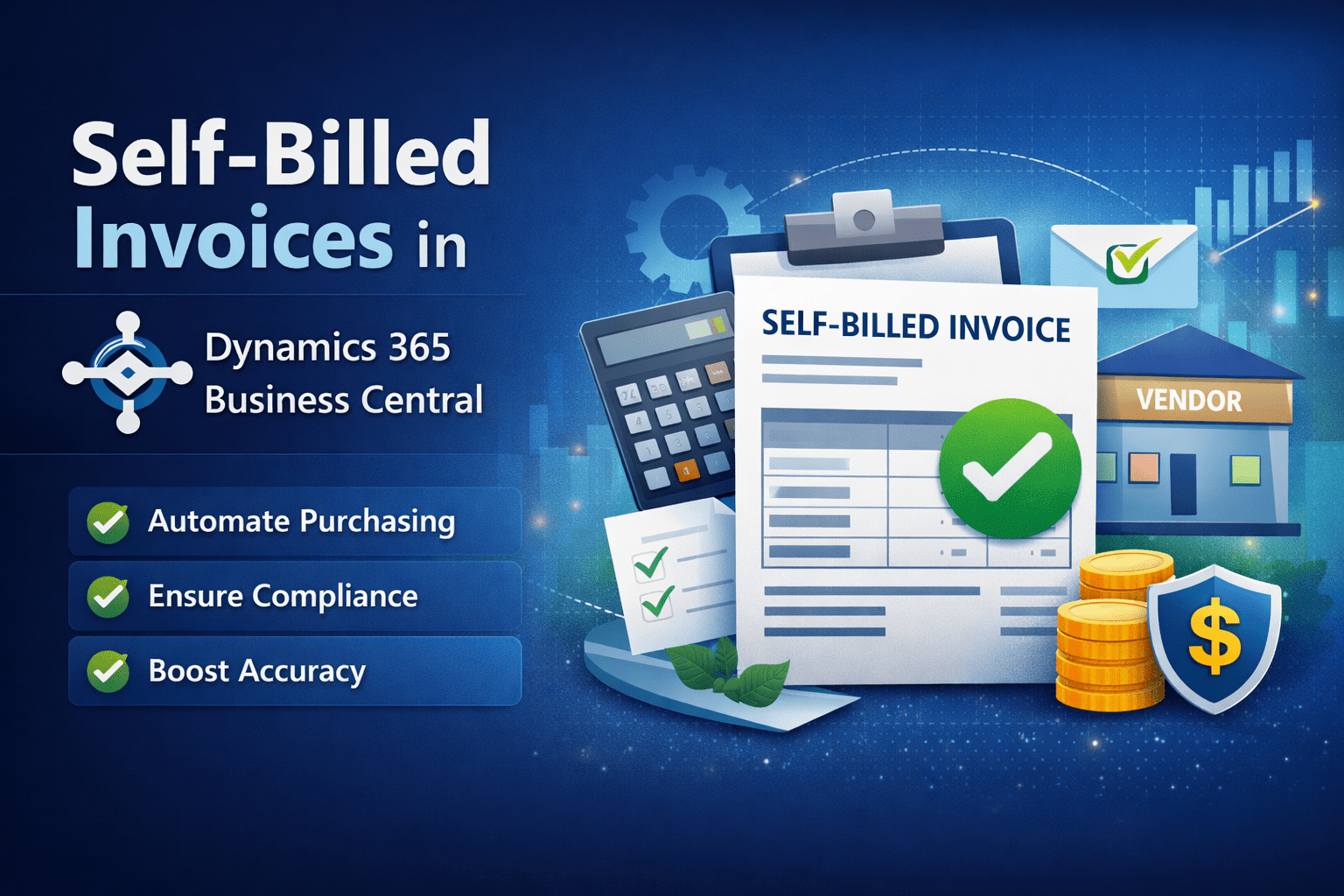
With Dynamics 365 Business Central 2026 Wave 1 (BC Version 28) Microsoft added capability of creating Self-billing Invoices for the vendor with Self-Billing Agreement checked.
Self-billing simplifies the procurement process by allowing buyers to generate invoices on behalf of vendors under a mutually agreed arrangement.
Let’s see how it works.
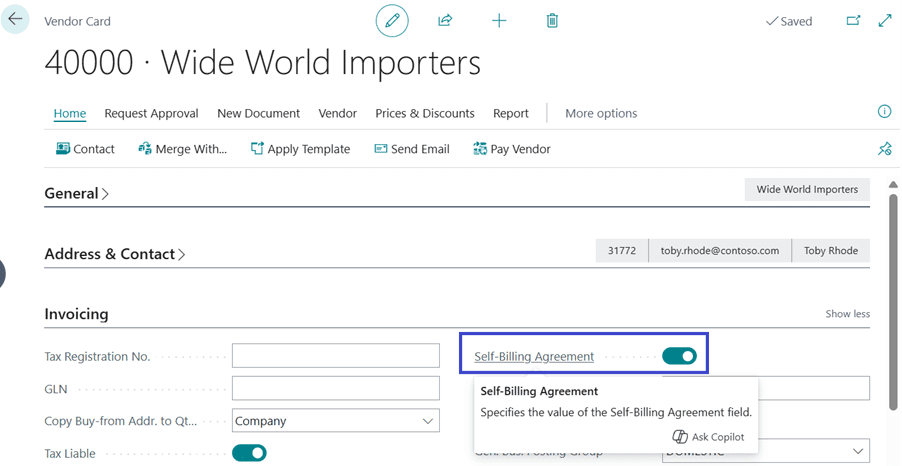
On Tell me search (Shortcut ALT+Q), search for Vendors and go to Vendor Card. Enabled the field “Self-Billing Agreement”.
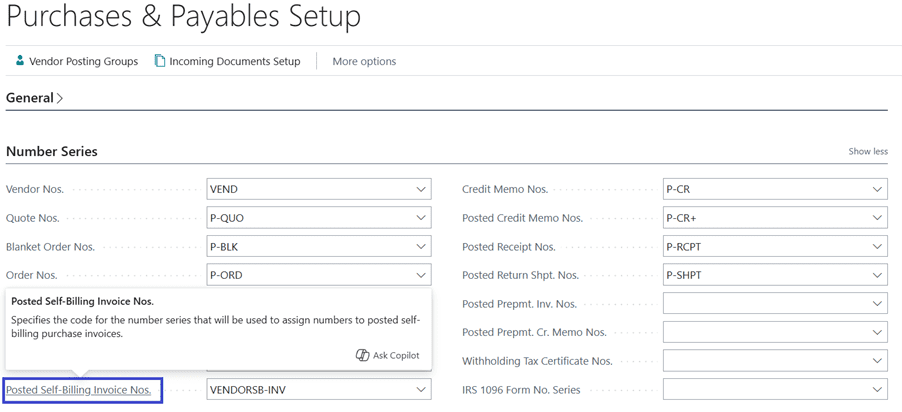
Search for “Purchases & Payables Setup”, define the No. series for Posted Self-Billing Invoice Nos.
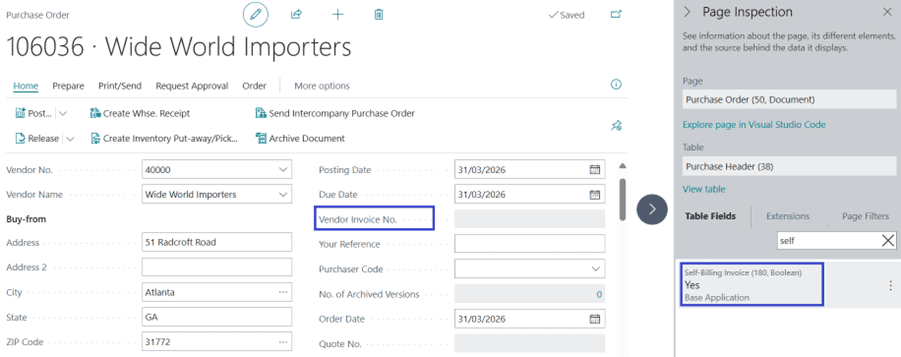
Let’s create a Purchase order for vendor. You will see that the field “Vendor Invoice No.” is non-editable for Self-Billing Order.
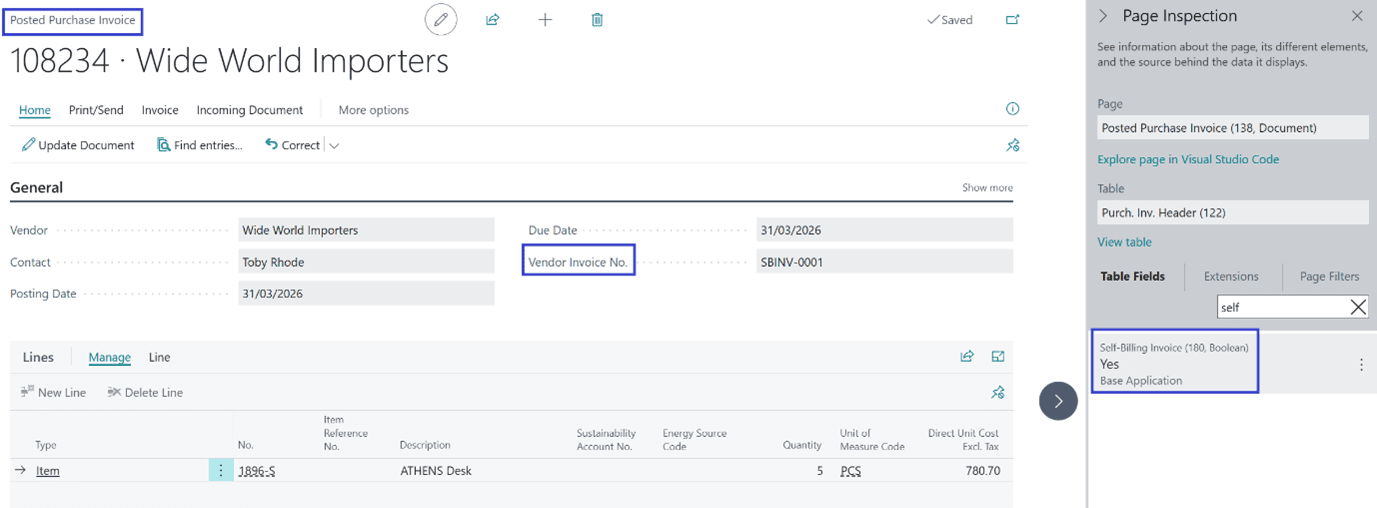
Post the Purchase Order. The “Vendor Invoice No.” is automatically populated from the No. Series defined on Purchase setup.
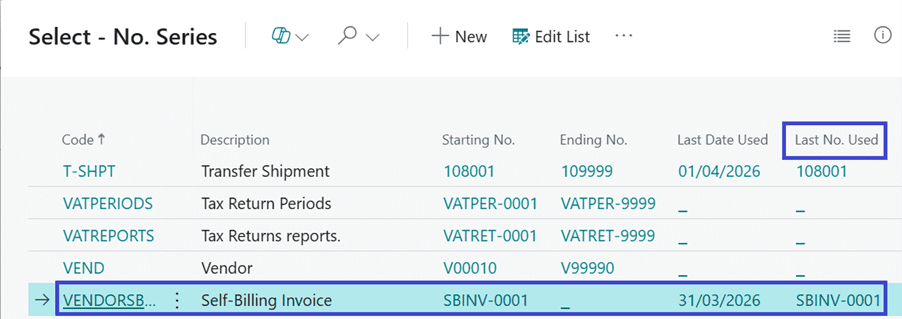
See the No. Series get updated with Last No. used.
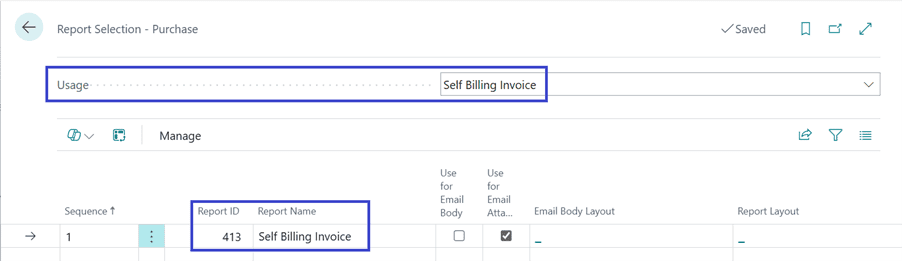
The system provides a new usage option on Report Selection – Purchase.
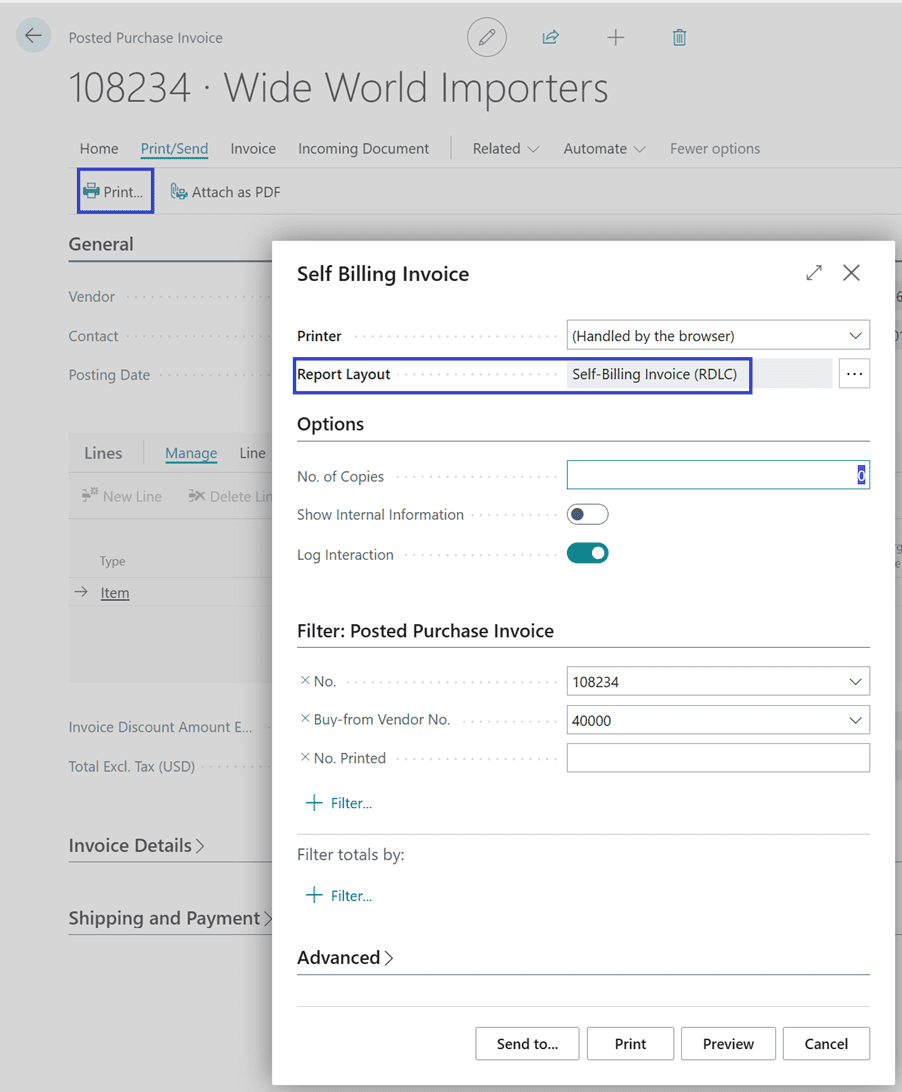
Printing the Invoice:
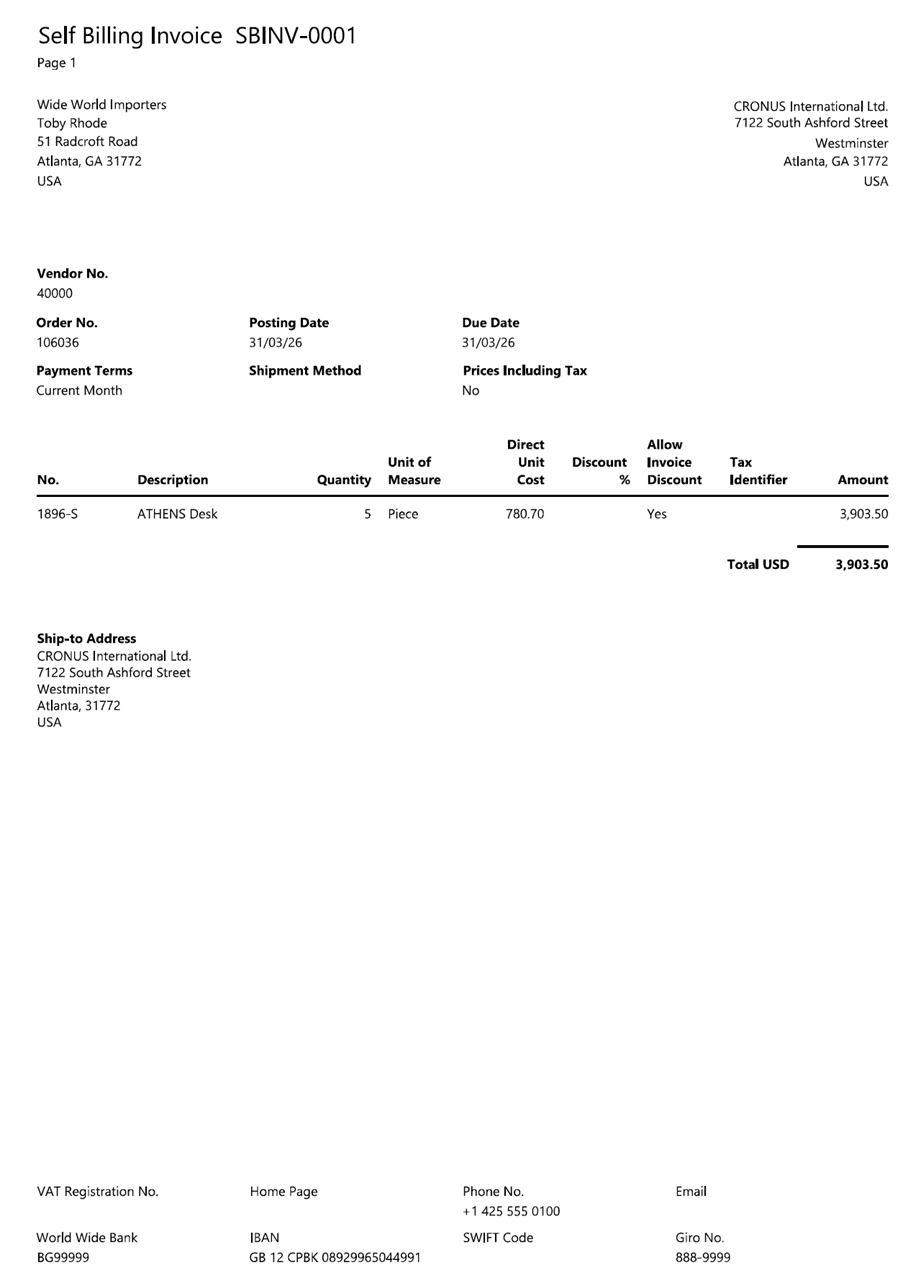
Report Output:
Thanks!!
Please follow and subscribe. Share your thoughts in the comments.!!