Hi Folks,
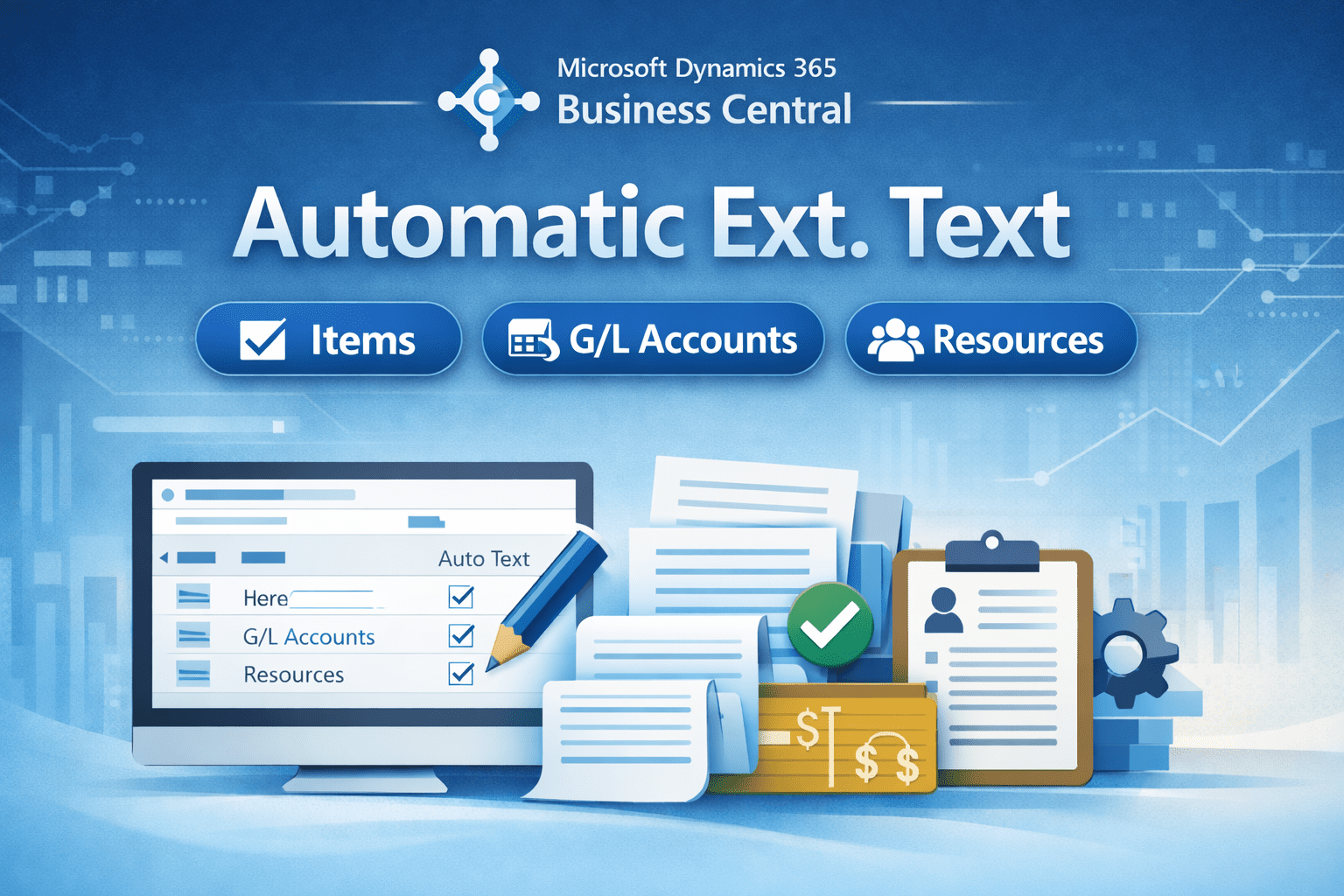
Business central allows you to Automatically insert the extended text line defined for Item, G/L account and Resource.
Let’s see how it works for Items.
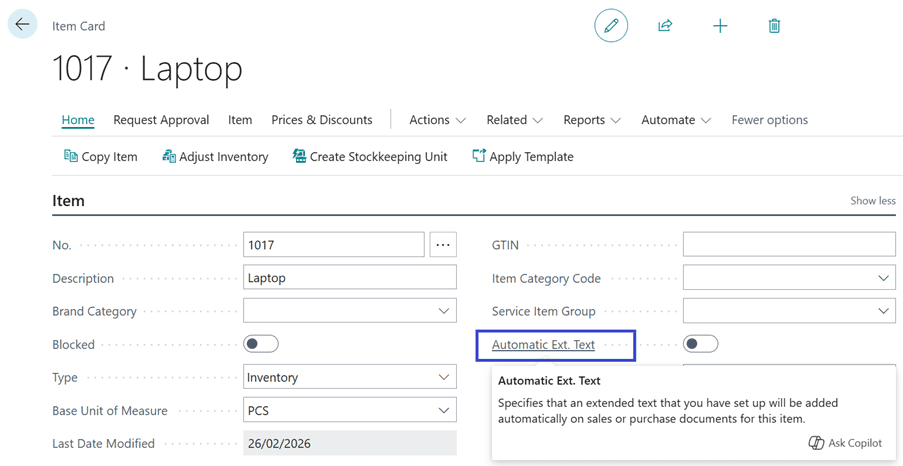
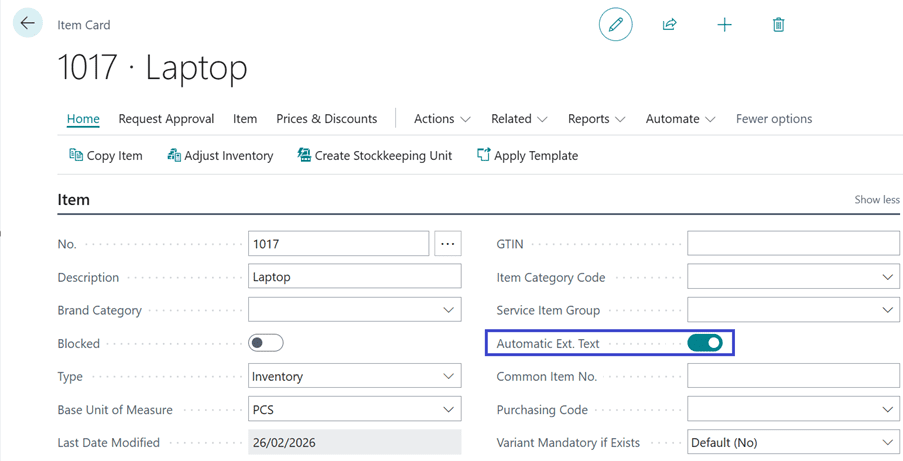
Go to Item card. The Automatic Ext. Text is not checked currently.
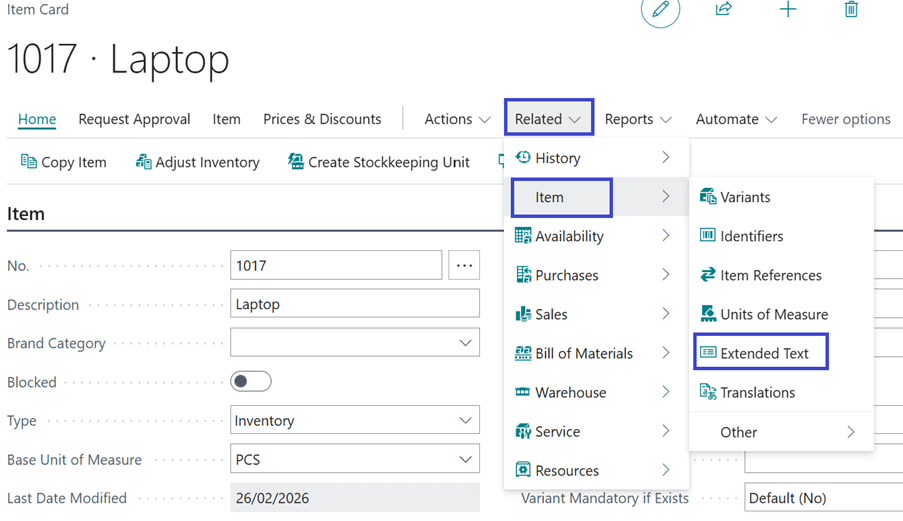
Define the Extended Text as shown below. Related -> Item -> Extended Text
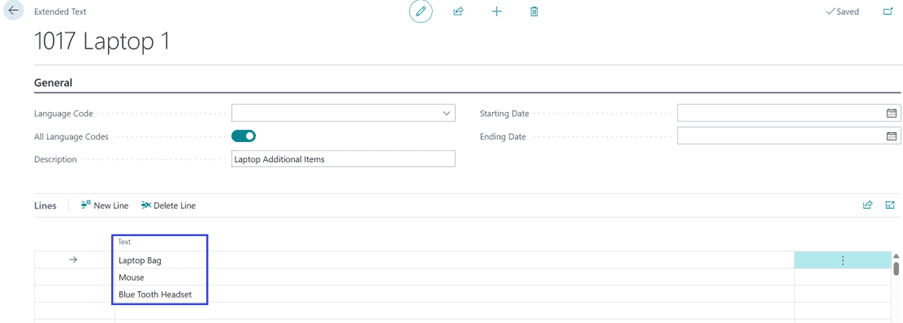
The extended text displayed is defined below. Users can specify the start and end dates to determine the period during which the extended text is applicable.
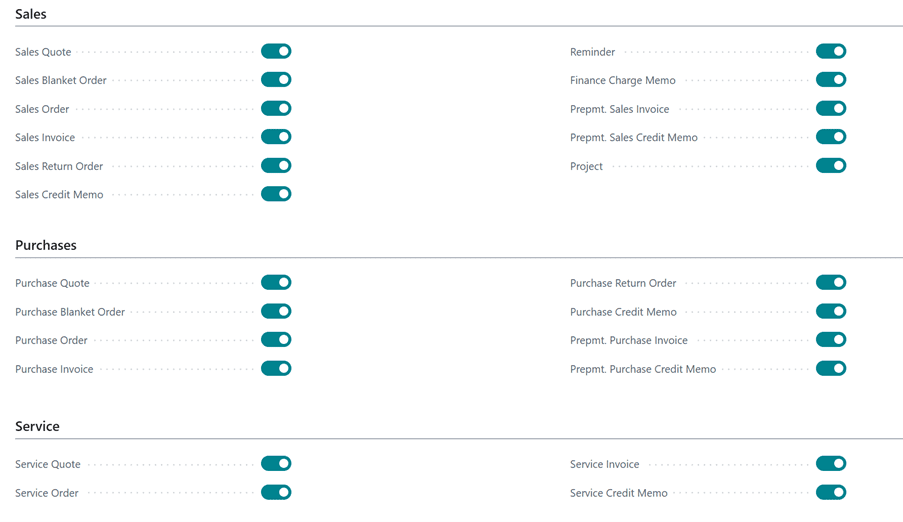
Toggle the check box for selecting the relevant document where extended text is applicable. Sales, Purchase, Service.
Let’s create a Sales Order and insert the Item for which extended text is defined. As you can see no extended text lines appears.
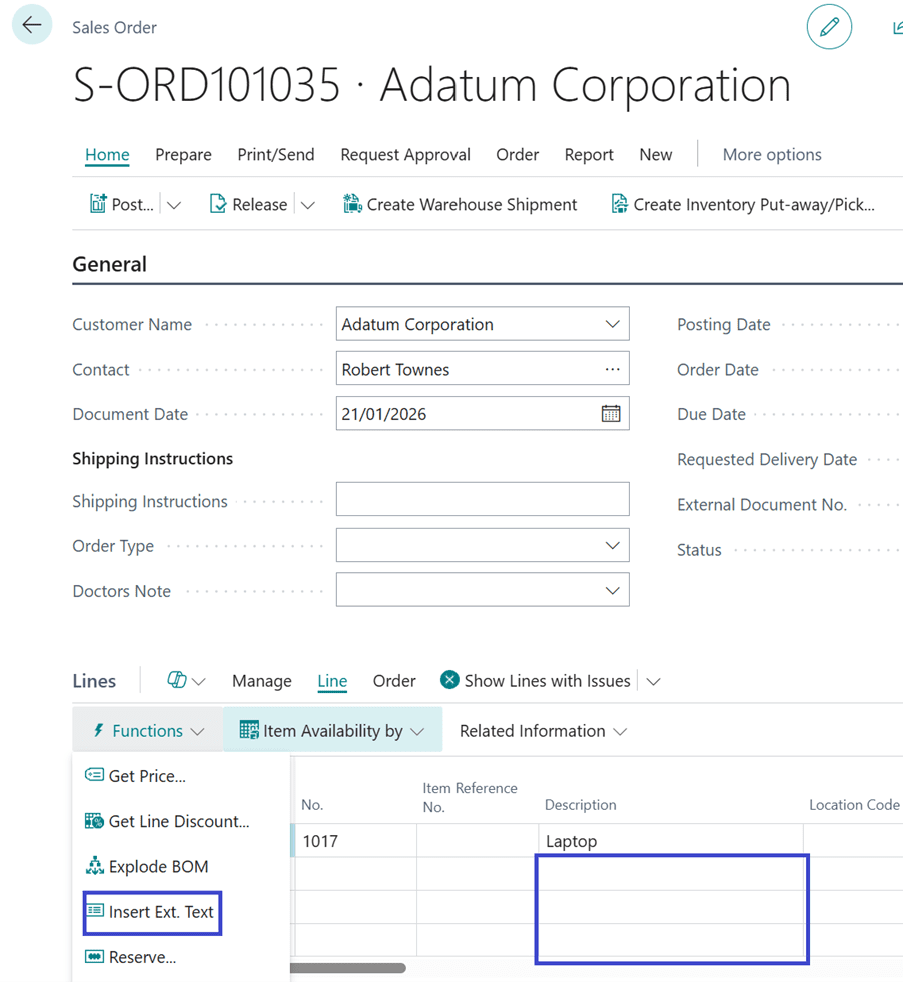
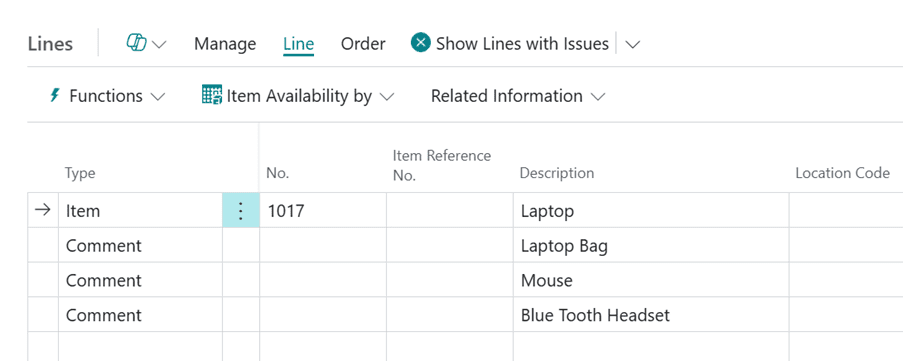
Click on “Insert Ext. Text” to see the extended text defined for item.
Let’s go back on Item card and check mark the Automatic Ext. Text.
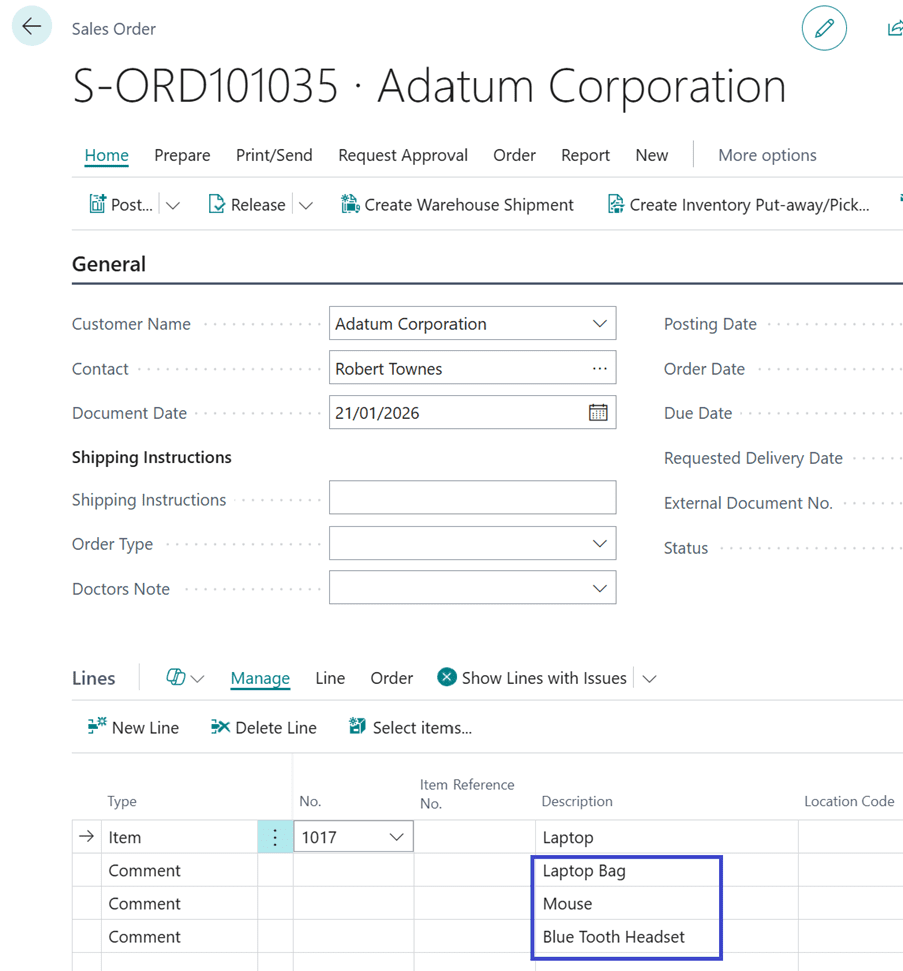
Let’s go back to Sales order and try to insert the Item with Extended text. The system automatically populates the extended text defined for item.
Deleting the Item Line with extended text will automatically delete the extended text lines.
Similarly, it works in Purchase Document and Service Documents.
When the checkbox is enabled on the respective Resource Card and G/L Account, the extended text will be populated automatically.
Thanks!!
Please follow and subscribe. Share your thoughts in the comments.!!